Creating videos has become a regular part of content creation, marketing, education, and communication. However, the process behind every successful video involves more than just recording footage. Creators need to organize clips, remove unnecessary sections, improve audio quality, add captions, adjust visuals, and prepare different versions for multiple platforms.
For many creators, the biggest challenge is not recording videos. It is managing the editing process efficiently.
This is where modern online video editing tools are changing the way people approach video production. Instead of relying only on complicated desktop applications, creators can now use browser-based platforms that simplify editing while still offering powerful features.
But with so many options available, how do you know which features actually matter?
The right easy video editor online should help creators save time without limiting creativity. It should provide essential editing capabilities, automation features, and enough control to create professional-quality videos.
Let’s explore the key features every modern creator should look for.
Why Are Online Video Editors Becoming Popular Among Creators?
Traditional editing software has always provided advanced controls, but it often requires powerful hardware, long installation processes, and a steep learning curve.
For beginners and experienced editors alike, the ideal solution is a balance between simplicity and flexibility.
A modern online video editor allows creators to start editing directly from their browser. This makes it easier to work from different devices, collaborate with teams, and manage projects without depending on a specific setup.
For content creators, speed is becoming increasingly important. YouTube channels, social media pages, brands, and marketing teams often need multiple videos every week. Spending hours on repetitive editing tasks can slow down the entire content workflow.
This is why creators are looking for an easy video editing software solution that handles everyday editing requirements while keeping the creative process simple.
Which Features Should Every Online Video Editor Include?
Choosing the right editing platform depends on the type of content you create. However, some features are useful across almost every workflow.
Here are the important features to consider.
1. A Simple Yet Powerful Editing Timeline
A timeline is the foundation of any editing workflow.
Even simple videos require arranging clips, trimming unwanted sections, adjusting timing, and combining different media elements.
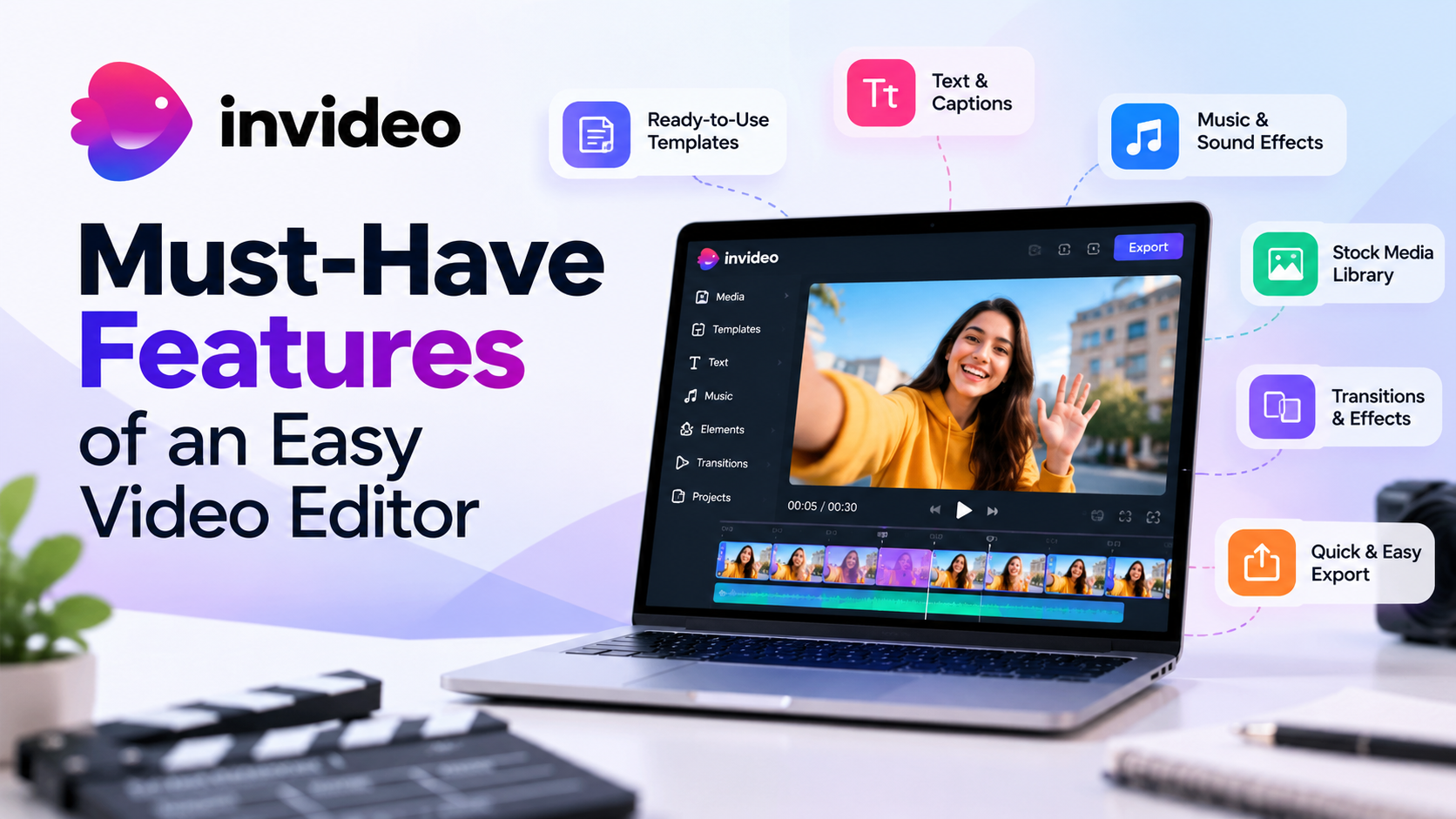
The best features of a professional online video editor include an intuitive timeline where users can:
- Cut and rearrange clips easily
- Adjust video and audio tracks
- Add transitions
- Move elements without confusion
- Review changes quickly
A good timeline should make editing accessible for beginners while giving experienced creators enough control for detailed adjustments.
2. AI Assistance for Faster Editing
Artificial intelligence is becoming an important part of modern video production.
An AI video editor online can help reduce repetitive tasks that normally take hours. Instead of manually reviewing every clip, creators can use AI assistance for tasks such as:
- Finding useful moments from long footage
- Removing unnecessary sections
- Improving pacing
- Organizing clips
- Creating initial edits
Invideo Editor focuses on combining professional editing timelines with AI editing agents that creators can assign specific tasks to. The goal is not to replace creative decisions but to reduce the repetitive work involved in preparing footage.
This type of workflow helps content creators spend more time improving storytelling, visuals, and audience engagement.
3. Automatic Captions and Text Tools
Captions have become essential for modern videos. Many viewers watch videos without sound, especially on social platforms.
A useful editor should include:
- Automatic subtitle generation
- Caption customization
- Text animation options
- Multiple language support
These tools help creators improve accessibility and increase viewer engagement.
For short-form videos, educational content, podcasts, and interviews, captions are no longer an optional feature. They are part of the standard editing process.
4. Audio Editing and Voice Enhancement
Good visuals can lose their impact when audio quality is poor.
A complete editing platform should provide audio tools for:
- Removing unwanted background noise
- Improving dialogue clarity
- Balancing music and voice
- Adding sound effects
- Adjusting volume levels
Many creators record videos in different environments, so audio cleanup tools can make a major difference without requiring advanced sound editing knowledge.
5. Flexible Export and Content Versioning
Creators rarely make only one version of a video.
A single project may need:
- A YouTube version
- A vertical social media version
- A shorter promotional clip
- A highlight reel
Modern editing platforms should make it easy to create different outputs from the same project.
Invideo Editor supports workflows where creators can continue refining projects and create different versions while keeping editing control.
This is especially useful for teams and content creators managing multiple platforms.
6. Collaboration Features for Teams
Video production often involves multiple people, including editors, marketers, designers, and clients.
Collaboration features can make the workflow smoother by allowing teams to:
- Review projects together
- Share feedback
- Make revisions faster
- Keep files organized
For creative teams, having everything inside one workspace reduces unnecessary communication gaps.
7. Professional Effects and Visual Editing Options
While simplicity matters, creators still need tools that improve visual quality.
Important visual features include:
- Transitions
- Motion effects
- Color adjustments
- Filters
- Text animations
- Visual enhancements
These features help creators develop a consistent style across their videos.
The best features of a professional online video editor combine ease of use with creative flexibility, allowing users to produce polished content without requiring advanced technical skills.
8. Search and Organization for Large Projects
As creators produce more content, managing footage becomes harder.
A modern editor should help users organize and find content quickly through:
- Media libraries
- Search tools
- Footage organization
- Project management features
For editors working with interviews, podcasts, documentaries, or long recordings, these features can significantly reduce production time.
The best editing platform depends on your goals, but creators should look for tools that combine usability with professional capabilities.
For example, an online video editor with AI features can help simplify tasks such as footage organization, editing assistance, and content preparation.
Invideo Editor is designed for creators and editors who want AI assistance without losing control of the timeline. Users can upload footage, provide direction, and allow AI editing agents to help with tasks like footage review, selecting usable takes, and building an editable base cut.
For creators looking for an efficient browser-based workflow, Invideo Editor provides an easy video editor online experience where editing, refinement, and collaboration happen inside the same project environment.
How Should Creators Choose the Right Online Video Editor?
Before selecting an editing platform, creators should consider their workflow.
Ask these questions:
- Do you edit short videos or long-form content?
- Do you work alone or with a team?
- Do you need AI assistance?
- Do you create content for multiple platforms?
- Do you need advanced editing control?
The best video editor for content creators is not always the one with the most features. It is the one that fits the creator’s workflow and helps complete projects efficiently.
A good editing platform should remove unnecessary complexity while keeping important creative decisions in the hands of the editor.
The Future of Video Editing for Modern Creators
Video editing continues to evolve as creators demand faster and smarter workflows.
AI-assisted editing, browser-based platforms, collaboration tools, and automation are changing how videos are produced.
The future is not about removing creativity from editing. It is about reducing the repetitive steps that prevent creators from focusing on ideas, storytelling, and audience connection.
Invideo Editor represents this shift by combining AI assistance with an editable professional timeline. Creators can use AI support for operational tasks while continuing to control the final creative direction.
As video becomes a more important communication format, choosing the right editing workflow will help creators produce better content with less effort.
Frequently Asked Questions
A good online video editor should include timeline editing, captions, audio tools, transitions, export options, collaboration features, and AI assistance for faster workflows.
Yes. Modern online video editing tools can support professional workflows by offering advanced editing features, automation, collaboration options, and flexible export capabilities.
AI features can help with repetitive tasks such as organizing footage, creating initial edits, generating captions, improving audio, and speeding up the editing process.
An easy video editor online should have a simple interface, drag-and-drop controls, guided workflows, templates, and automation features that reduce the learning curve.
Yes. Many online editors are designed for YouTube, short-form content, marketing videos, and social media workflows by providing tools for captions, resizing, effects, and quick exports.