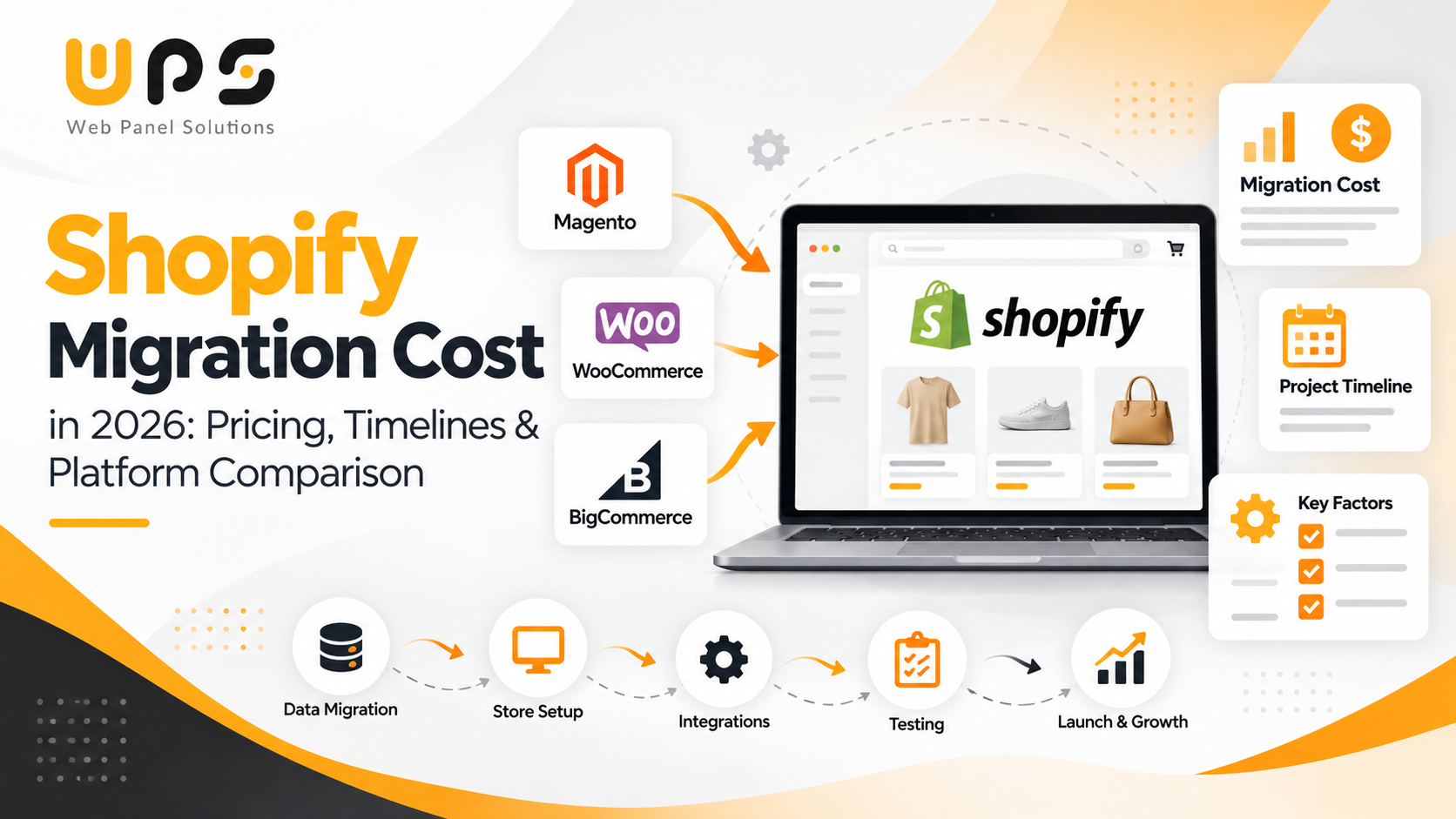
Migrating an ecommerce store to Shopify can help businesses simplify store management, improve the shopping experience, and build a more manageable technology setup. However, the cost of moving an existing store depends on much more than transferring products and customer records.
For US ecommerce businesses, Shopify migration cost varies according to the current platform, catalog complexity, custom functionality, integrations, storefront design, and SEO requirements. A straightforward migration may need limited configuration, while an enterprise project may involve custom development, ERP integrations, extensive testing, and a complete storefront rebuild.
Understanding these costs before starting helps you plan your budget, compare agency proposals, and identify potential expenses before they affect your launch.
Key Takeaways
- Shopify migration costs depend on store size, product volume, customization, and integrations.
- Moving from WooCommerce, Magento, or BigCommerce to Shopify involves different levels of complexity.
- SEO migration planning, including URL redirects and metadata checks, helps protect existing organic traffic.
- Data migration, app setup, design changes, and testing can increase the overall project cost.
- A clear migration plan helps businesses estimate their budget and timeline more accurately.
How Much Does Shopify Migration Cost in 2026?
There is no single price that applies to every Shopify migration. A small store with standard products and minimal customization requires a different level of work from a business with thousands of products, custom pricing rules, and multiple operational systems.
The following table provides illustrative budgeting ranges in US dollars, informed by the variation seen in published migration guides. These are not audited market averages, fixed prices, or guaranteed agency quotes.
| | |
| | | | Standard data transfer, configuration, and limited customization |
|
| Mid-sized store migration |
| | | | Theme setup or customization, data validation, essential apps, and testing |
|
| Custom storefront migration |
| | | | Custom design, functionality, integrations, and SEO preparation |
|
| Complex enterprise migration |
| | | Extensive data, custom systems, and complex integrations |
|
| Enterprise B2B or ERP-heavy migration |
| | | Complex workflows, multiple systems, custom applications, or advanced architecture |
|
These ranges overlap because project complexity matters more than the number of products alone. For example, a store with a relatively small catalog but complex ERP integrations may cost more to migrate than a larger store using standard functionality.
Published guides illustrate this variation. The WooCommerce-to-Shopify migration guide from Shopify Agency Directory discusses typical project budgets of $3,000–$15,000, while FactoryJet's 2026 Shopify Plus migration cost guide reports substantially higher ranges for complex enterprise migrations. These estimates cover different project scopes and should not be treated as directly equivalent.
Before accepting a quote, confirm whether it includes discovery, design, development, data migration, integrations, SEO, testing, launch support, and post-launch fixes.
The platform you are migrating from affects the work required to rebuild your store. Each platform has its own data structure, customization methods, integrations, and operational workflows.
1. Magento to Shopify Migration Cost
Magento and Adobe Commerce stores may include custom modules, customer-group pricing, advanced product configurations, ERP integrations, and business rules developed over several years.
Moving these stores to Shopify involves more than exporting products and importing them into a new system.
Potential cost drivers include:
- Product attributes, variants, and catalog mapping
- Customer groups and pricing rules
- Custom Magento modules that need replacement
- ERP, CRM, inventory, and fulfillment integrations
- Storefront design and custom functionality
- Historical orders and customer data
- URL redirects and SEO preservation
- Checkout, shipping, payment, and tax testing
A simpler Magento store with standard functionality may require a smaller budget. An enterprise Adobe Commerce store with custom modules, B2B requirements, and ERP dependencies can require a substantially larger investment.
Before requesting quotes, document which Magento features your business actually uses. Some may be available through Shopify's native capabilities or suitable apps, while others may require custom development.
For additional context, review this Magento-to-Shopify migration cost and timeline guide.
2. WooCommerce to Shopify Migration Cost
WooCommerce stores often rely on WordPress plugins, custom PHP code, page builders, and third-party services. During migration, the challenge is determining which features can be replaced with Shopify functionality and which need to be rebuilt.
Common cost factors include:
- Product, customer, and order data transfer
- Variable products and custom product fields
- Plugin functionality that needs a Shopify alternative
- Custom PHP features
- WordPress blog and page migration
- Payment and shipping configuration
- Theme redevelopment
- SEO metadata and URL mapping
A WooCommerce store using standard products and common plugins may be relatively straightforward to migrate. A store with subscription workflows, advanced product configuration, membership features, or extensive custom code requires additional planning.
Your estimate should also distinguish between migrating the ecommerce store and migrating the entire WordPress website. These can be separate scopes of work.
For more detail, see the WooCommerce-to-Shopify migration cost guide.
3. BigCommerce to Shopify Migration Cost
BigCommerce and Shopify both support established ecommerce operations, but their storefronts, APIs, data structures, and feature sets differ.
The cost of moving from BigCommerce to Shopify depends on how closely your existing setup matches Shopify's native functionality.
Potential cost drivers include:
- Product catalog and variant mapping
- Custom fields and product options
- Customer and order history
- Theme redevelopment
- Third-party apps and integrations
- B2B or wholesale requirements
- URL changes and SEO redirects
- Testing and launch preparation
Before migrating, create a feature comparison covering the functionality your business currently uses. This helps identify replacement apps, custom development requirements, and potential recurring costs.
Platform Migration Comparison
| Factor | Magento / Adobe Commerce | WooCommerce | BigCommerce |
| | Custom modules and business logic |
| | | Platform features, apps, and custom code |
|
| Integration considerations |
| | Enterprise systems may require substantial work |
| | Plugin and API compatibility |
| | Existing app and API compatibility |
|
| | Depends on existing theme and customizations |
| | Often includes theme redevelopment |
| | Depends on design requirements |
|
| | URL structure and metadata mapping |
| | WordPress content and URL mapping |
| | URL mapping and metadata preservation |
|
| | Rebuilding complex functionality |
| | Replacing plugins and custom code |
| | Recreating features and workflows |
|
These are general technical considerations, not a claim that one platform is always more expensive to migrate than another.
What Factors Affect Shopify Migration Cost?
Understanding the main cost drivers helps you evaluate proposals and prioritize the work that matters most.
1. Product Catalog and Data Complexity
Product count is only one part of the calculation. The structure and quality of the data also matter.
A catalog with standard products may be straightforward to transfer. A catalog with complex variants, custom attributes, bundled products, or inconsistent records requires more mapping and validation.
The data scope may include:
- Products and variants
- Collections and categories
- Customers and customer addresses
- Historical orders
- Gift cards and store credits, where supported
- Blog posts and static pages
- Custom fields and related metadata
Shopify's official migration guide explains available methods, including CSV files, migration apps, Shopify Partners, and custom API-based solutions.
Not every data type transfers automatically in the same way. Confirm what can be migrated, what needs transformation, and what may need to remain in the original system.
2. Theme Design and Storefront Development
A migration can preserve the broad look of your existing store or introduce a new storefront experience.
A simpler theme setup may require less design and development work if the existing functionality maps well to Shopify. A complete redesign adds requirements such as wireframes, custom page templates, responsive layouts, product-page improvements, and testing.
Your proposal should clearly state whether it includes:
- Theme selection or custom theme development
- Homepage and landing page design
- Product and collection templates
- Navigation and filtering
- Mobile responsiveness
- Accessibility considerations
- Cross-browser testing
Avoid paying for a complete redesign if your existing storefront already meets your business needs and can be adapted efficiently.
3. Custom Functionality
Some features may not have a direct equivalent on Shopify.
Examples include specialized product configurators, custom pricing logic, subscription workflows, loyalty programs, wholesale rules, and advanced customer account functionality.
For each feature, the development team should identify whether the best solution is:
- Shopify's native functionality
- An existing app
- Configuration of an integration
- Custom application development
- A change to the original business process
The most cost-effective solution is not always a custom application. Using supported native features or an appropriate app may reduce development and maintenance costs.
4. Third-Party Integrations
Established ecommerce businesses often connect their stores to multiple systems.
These may include:
- ERP and accounting software
- CRM platforms
- Inventory and warehouse management
- Shipping and fulfillment systems
- Marketing automation
- Customer support software
- Product information management systems
An integration that transfers basic order information may be relatively simple. A two-way integration that synchronizes inventory, pricing, customer records, fulfillment status, and exceptions requires more development and testing.
Your migration scope should identify the data exchanged, synchronization frequency, error handling, and the system responsible for each record.
You can also explore our existing Shopify Automation Guide for more information about ecommerce workflows and automation.
5. SEO and URL Preservation
SEO work should be included in the migration plan, not treated as an optional task after launch.
Your existing site may have product pages, category pages, blog posts, and landing pages that receive organic traffic or backlinks. If their URLs change, relevant redirects and page mapping become important.
SEO migration work may include:
- Exporting existing URLs
- Mapping old URLs to relevant destination pages
- Implementing 301 redirects where appropriate
- Preserving useful metadata and content
- Checking canonical tags
- Updating internal links
- Reviewing XML sitemaps
- Testing important pages after launch
- Monitoring Google Search Console and organic traffic
Shopify provides built-in URL redirect functionality. Its official URL redirect documentation explains supported redirects and relevant limitations.
A migration cannot guarantee that rankings will remain unchanged. The objective is to reduce avoidable disruption and monitor the site carefully after launch.
For a broader process overview, see our Ecommerce Website Migration Best Practices article.
6. Quality Assurance and Launch Support
Testing is essential because a successful data import does not automatically mean the store is ready for customers.
A migration project should test:
- Product and variant accuracy
- Customer account behavior
- Cart and checkout workflows
- Shipping rates and delivery rules
- Tax configuration
- Payment processing
- Discount codes and promotions
- Mobile usability
- Analytics and tracking
- Integration synchronization
- Redirect behavior
The project should also include a launch plan, responsibility assignments, a contingency approach where feasible, and a defined period for resolving launch-related issues.
Additional Costs to Include in Your Budget
Development is only one part of the total cost of moving to Shopify.
| |
| | Choose the plan that matches your requirements |
|
| | Review monthly and annual subscription charges |
|
| | Check theme licensing and customization needs |
|
| | Clarify whether enhancements are included in the quote |
|
| | Include setup, testing, and ongoing service fees |
|
| | Budget for URL mapping, technical checks, and monitoring |
|
| | Include rewriting, formatting, and content migration where needed |
|
| | Confirm support hours, response times, and additional charges |
|
For a fair comparison, calculate both the initial implementation budget and the expected recurring operating costs.
A lower upfront migration quote may exclude important work that another agency includes. Always compare proposals on the same scope.
How Long Does a Shopify Migration Take?
The timeline depends on the number of tasks, their complexity, and how quickly decisions and approvals are completed.
The following are illustrative planning ranges, not guaranteed delivery times. They are intended for early budgeting and should be confirmed after discovery.
| |
| |
| |
| Custom storefront migration |
| |
| Complex enterprise migration |
| |
Some tasks can run in parallel, while others depend on earlier work. For example, final integration testing cannot be completed until the integration is configured and the necessary data is available.
A typical project includes these phases.
Phase 1: Discovery and planning
Audit the current store, identify required functionality, document integrations, review data quality, and define acceptance criteria.
Phase 2: Data mapping and storefront setup
Prepare data exports, map fields, configure Shopify, and develop or customize the storefront.
Phase 3: Migration and integration
Transfer the agreed data, configure apps and integrations, and rebuild required functionality.
Phase 4: Testing and review
Validate data, test customer journeys, verify redirects, and resolve defects.
Phase 5: Launch and monitoring
Coordinate the cutover, confirm payments and fulfillment, monitor errors, and check important SEO and analytics signals.
A realistic timeline should include time for your team to review designs, approve content, supply data, and test the store.
How to Compare Shopify Migration Agency Quotes
Before choosing a Shopify migration service provider, make sure every proposal addresses the same requirements.
Ask What the Quote Includes
Confirm whether the estimate covers discovery, design, development, data migration, integrations, SEO, testing, launch support, and post-launch fixes.
Request a Breakdown by Workstream
A breakdown helps you understand where the budget will go and which tasks are driving the cost.
Confirm What Is Excluded
Ask whether app subscriptions, paid themes, third-party vendor fees, custom applications, content rewriting, and additional revisions are included.
Check Experience With Your Source Platform
A team experienced with standard WooCommerce stores may not necessarily have the expertise needed for a complex Adobe Commerce or enterprise B2B migration.
Ask for examples of projects with comparable technical requirements.
Agree on Acceptance Criteria
Define what successful delivery means. For example, agreed data records should be validated, key integrations should pass their tests, important redirects should work, and checkout should complete successfully.
Confirm Post-Launch Support
Ask how long launch-related defects will be covered, what response times are offered, and how new requests will be priced.
Final Thoughts
Shopify migration cost depends on the work required to move your ecommerce operations—not simply the number of products in your catalog.
Before starting, assess your existing platform, identify the functionality your business needs to retain, document your integrations, and decide how much storefront redesign is necessary. Include SEO, testing, recurring app fees, and post-launch support in your budget.
Most importantly, compare agency proposals based on their complete scope rather than the headline price. A clear migration plan can help your team make informed decisions, reduce avoidable risks, and establish a more maintainable ecommerce setup.
If you are planning to move from Magento, WooCommerce, BigCommerce, or another platform, start by documenting your requirements and requesting a scope-based estimate.
Explore Web Panel Solutions' ecommerce website development services to discuss your store's development requirements.