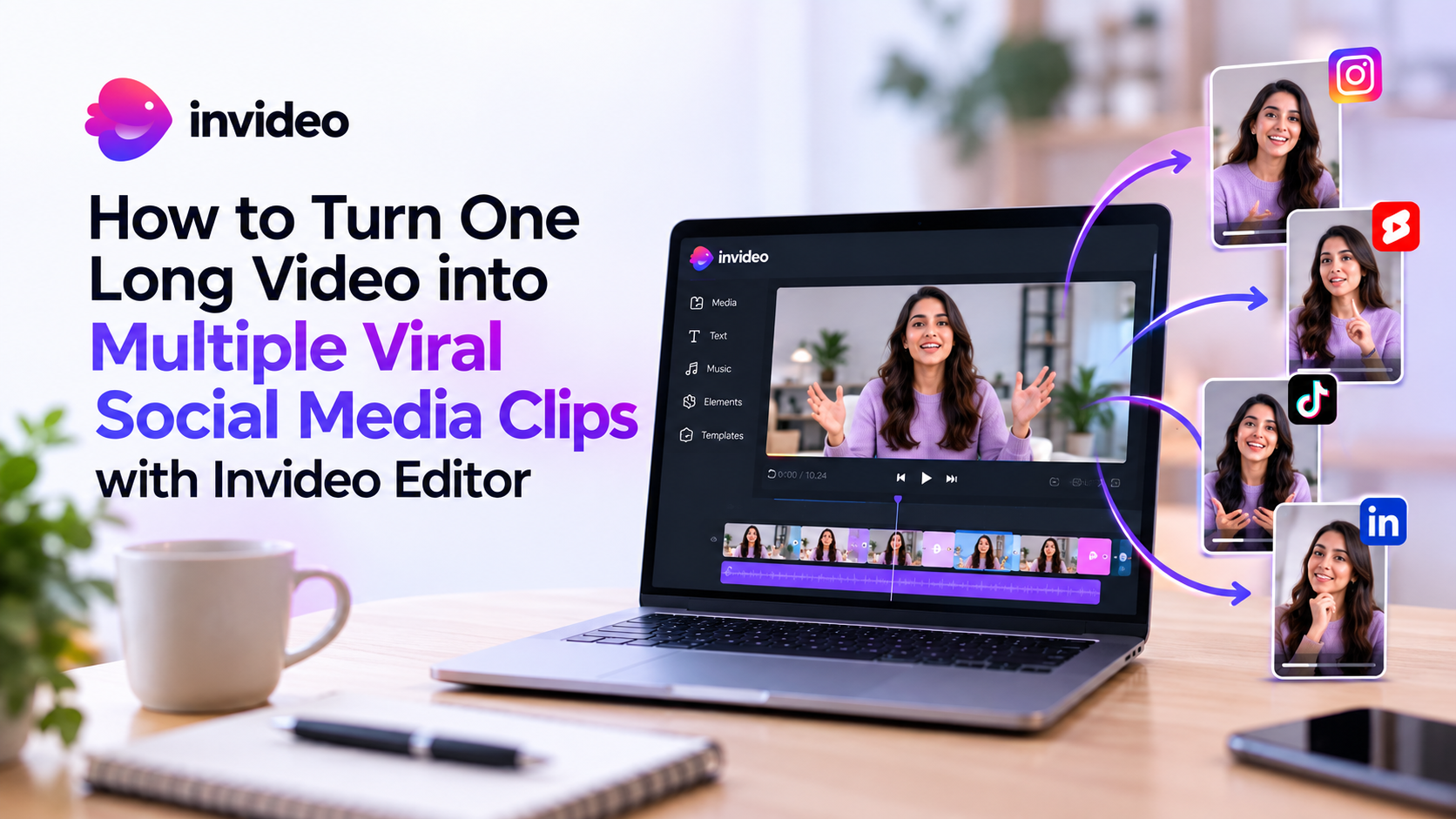
In today’s digital media landscape, short-form video dominates audience engagement. Whether scrolling through TikTok, browsing Instagram Reels, or watching YouTube Shorts, millions of viewers consume bite-sized content every single day. For content creators, podcasters, educators, and marketers, this shift presents both a massive opportunity and a major challenge.
Producing high-quality long-form videos-such as hour-long podcasts, live webinars, keynotes, or comprehensive YouTube tutorials—requires immense time and effort. However, simply publishing a long video and hoping viewers find it is no longer enough. To maximize your reach, you need to distribute snippet-sized highlights across multiple social channels.
Manually scrubbing through hours of footage, cutting individual clips, adjusting aspect ratios, and adding subtitles used to take days. Today, leveraging an advanced AI video repurposing tool like invideo Editor simplifies this process, allowing you to turn a single long video into dozens of publish-ready social media clips in just a few clicks.
The Power of Video Repurposing in Content Strategy
Video repurposing is the strategic process of taking a core piece of long-form video content—often referred to as "hero content"—and breaking it down into smaller, standalone assets for different distribution channels.
1. Maximizing Content Return on Investment (ROI)
Creating long-form video requires scripting, filming, lighting, and audio setup. When you publish a long video without slicing it into shorter clips, you limit your content’s lifecycle to a single upload. Repurposing extracts maximum value from work you have already completed, extending the lifespan of your video assets.
2. Multi-Platform Audience Reach
Different platforms serve different audiences and consumption habits:
- YouTube Shorts & TikTok favor punchy, fast-paced 15-to-60-second clips with high visual energy and compelling hooks.
- Instagram Reels perform best with visually polished, aesthetically pleasing clips featuring dynamic captions.
- LinkedIn & X (Twitter) thrive on insightful soundbites, professional keynotes, and thought-leadership excerpts.
By converting a single long-form piece into platform-tailored snippets, you meet potential followers wherever they already spend their time.
3. Scaling Distribution with Social Media Video Automation
Consistency is the single most important factor in growing a social media presence. However, creating 5 to 10 original short videos every week from scratch leads to creator burnout. Embracing social media video automation allows creators and marketing teams to maintain a daily posting schedule effortlessly by building a steady stream of bite-sized content from existing long videos.
How invideo Editor Streamlines the Long-to-Short Workflow
Invideo Editor provides a comprehensive suite of cloud-based editing capabilities and AI-driven workflows designed specifically to convert long-form assets into engaging, short-form social content.
Long-Form Hero Video (Podcast / Webinar / Vlog)
▼
Upload to invideo Editor
▼
Split & Select Key Moments
▼
Format to 9:16 Vertical Aspect Ratio
▼
Auto-Generate Captions & Visuals
▼
Export Multiple Shorts / Reels / TikToks
Step 1: Upload Your Hero Footage
Getting started is straightforward. You can upload your raw long-form video file directly into invideo Editor or utilize its online tools to process hosted links. Whether you are working with a podcast recording, a product demonstration, or a virtual conference, the editor ingests high-resolution video formats seamlessly.
Step 2: Identify High-Impact Moments
The key to a successful short clip is capturing immediate viewer attention within the first 3 seconds. Look for segments in your long video that contain:
- A surprising fact, statistic, or controversial opinion.
- A clear, practical tip or actionable takeaway.
- An emotional story or humorous exchange.
- A strong statement that functions as a standalone lesson.
Using the intuitive online video splitter inside invideo Editor, you can precisely split your timeline, isolate those gold-nugget segments, and discard filler footage without destroying your original project file.
Step 3: Convert Landscape Footage to Vertical Format
Most long-form videos are recorded in standard 16:9 landscape format, whereas social media platforms require 9:16 vertical orientation. invideo Editor allows you to crop, reframe, and adjust your video canvas in seconds. You can center the speaker, create split-screen views for two-person podcast interviews, or add custom background blurs to keep the focus strictly on the subject.
Step 4: Generate Animated Subtitles and Overlays
Over 80% of social media users scroll through video feeds with their sound turned off. If your video clips lack captions, viewers will scroll past them immediately. invideo Editor includes automatic speech-to-text subtitling that converts spoken dialogue into eye-catching, synchronized captions. You can customize font styles, apply highlight colors to key words, and add animated text effects that keep viewers hooked.
Step 5: Enhance with Stock Media and Audio Tracks
To give your AI video clips professional flair, invideo Editor gives you access to a massive built-in media library featuring millions of royalty-free stock videos, images, and background music tracks. You can layer B-roll footage over your audio to illustrate points visually, add trending sound effects, and brand your clips with logos and call-to-action end screens.
Essential Features for Automated Video Repurposing
When selecting a tool for converting a long video to short clips, several core capabilities in invideo Editor stand out:
| Feature | How It Helps Content Creators | Target Social Platforms |
| Online Video Splitter | Cut hours of footage into precise sections with a few clicks. | All Platforms |
| Aspect Ratio Converter | Instantly transform 16:9 landscape videos into 9:16 vertical shorts. | TikTok, Reels, Shorts |
| Automated Speech-to-Text | Generate accurate subtitles and dynamic captions automatically. | Mute-heavy feeds (Feed/Stories) |
| AI Prompt & Script Workflows | Draft engaging scripts, intros, and hooks using text prompts. | YouTube Shorts & TikTok |
| Stock Media Integration | Overlay relevant B-roll and background music to increase retention. | Instagram Reels & YouTube |
While tools like invideo Editor handle the technical editing, applying smart content strategies ensures your repurposed clips perform well organically:
- Craft a Powerful 3-Second Hook: Start your clip at the exact moment the speaker says something intriguing. Avoid lengthy intros or context setups.
- Keep Clips Focused on One Single Idea: A 30-second clip should deliver one clear message or answer one specific question. If a segment covers multiple topics, split it into separate clips.
- Optimize Caption Readability: Use bold, contrasting text colors (like yellow, white, and black) positioned in the middle third of the frame so platform interface overlays (like TikTok likes and comments) don't cover your text.
- Maintain Brand Consistency: Save your custom brand colors, font choices, and logo watermarks inside invideo Editor so every exported clip maintains a cohesive aesthetic.
- Include a Clear Call to Action (CTA): Direct viewers to watch the full long-form video on YouTube, subscribe to your channel, or visit your website for more details.
Conclusion: Scale Your Content Reach Effortlessly
Repurposing long videos into short social clips is no longer optional for serious content creators and brand marketers—it is an essential distribution strategy. Instead of spending endless hours manually chopping up footage, utilizing an AI video repurposing tool like invideo Editor streamlines your workflow, automates subtitle generation, and ensures your content reaches new audiences across every major social platform.
By turning every long-form asset into a content engine that produces 5 to 10 bite-sized clips, you can stay consistent, boost engagement, and grow your brand without doubling your workload.
Frequently Asked Questions
Yes, invideo Editor can help creators transform long videos into shorter social media clips by using AI-assisted editing workflows. It can help with tasks such as analyzing footage, removing unnecessary sections, improving pacing, and creating a cleaner editing timeline.
Invideo Editor’s AI-assisted workflow can help analyze footage and create a starting edit based on instructions. Creators can use AI assistance to identify useful sections, remove unwanted parts, and improve the overall structure before creating final clips.
Yes. A long video can be reformatted into short vertical content for platforms like Instagram Reels and YouTube Shorts. Features such as auto-reframing help adapt content for different aspect ratios while keeping important subjects visible.
AI video editing workflows can assist with removing filler sections, pauses, and unwanted parts of footage. Features like filler-word detection and silence removal are common AI editing capabilities designed to speed up editing.
Yes, modern AI editing workflows include automatic transcription and caption generation features that help creators add subtitles and make videos easier to watch without sound.
Yes. invideo Editor workflows can support creating vertical versions of videos for mobile platforms. Auto-reframing helps adjust framing when converting formats such as 16:9 videos into 9:16 vertical clips.
Yes. Podcast creators can use AI-assisted editing workflows to extract valuable sections, remove unnecessary pauses, add captions, and prepare clips optimized for social media.
No. AI tools are designed to assist editors by reducing repetitive tasks. Human editors still control storytelling, creative choices, branding, and final adjustments.